
How to play a solo D&D-style tabletop adventure with Paige
Start an adventure, choose “Tabletop” under “How it plays”, and build a character (or bring your own sheet). Paige runs the game with honest dice, the numbers on your sheet and the D&D 5e rules, and your own Story Bible and homebrew always win.
7 min readUpdated
On this page
Step by step
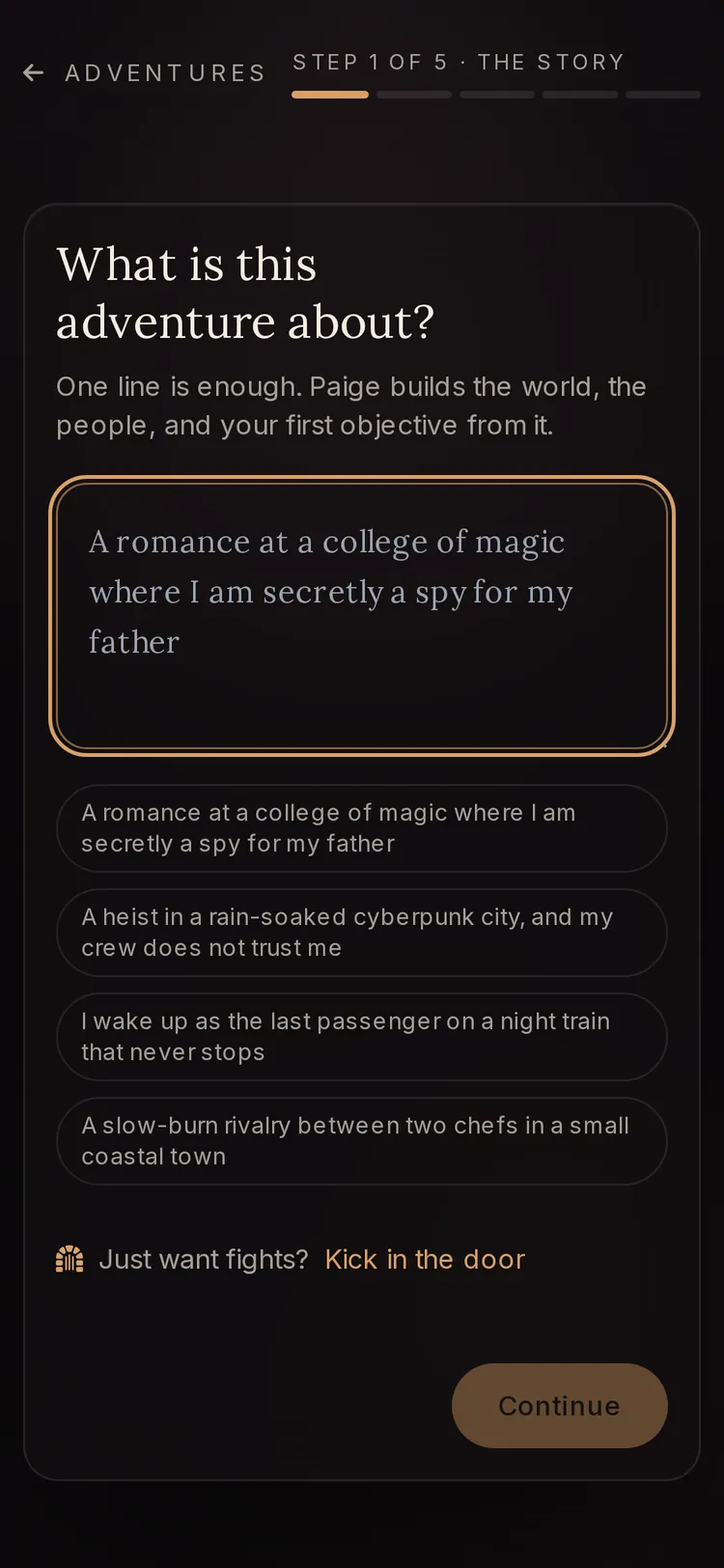
Step 1: Start an adventure
Go to Adventures and tap “Start an adventure”. On “What is this adventure about?” type one line about the story. In a hurry for a fight? Tap “Just want fights? Kick in the door” instead.
Step 2: Choose Tabletop
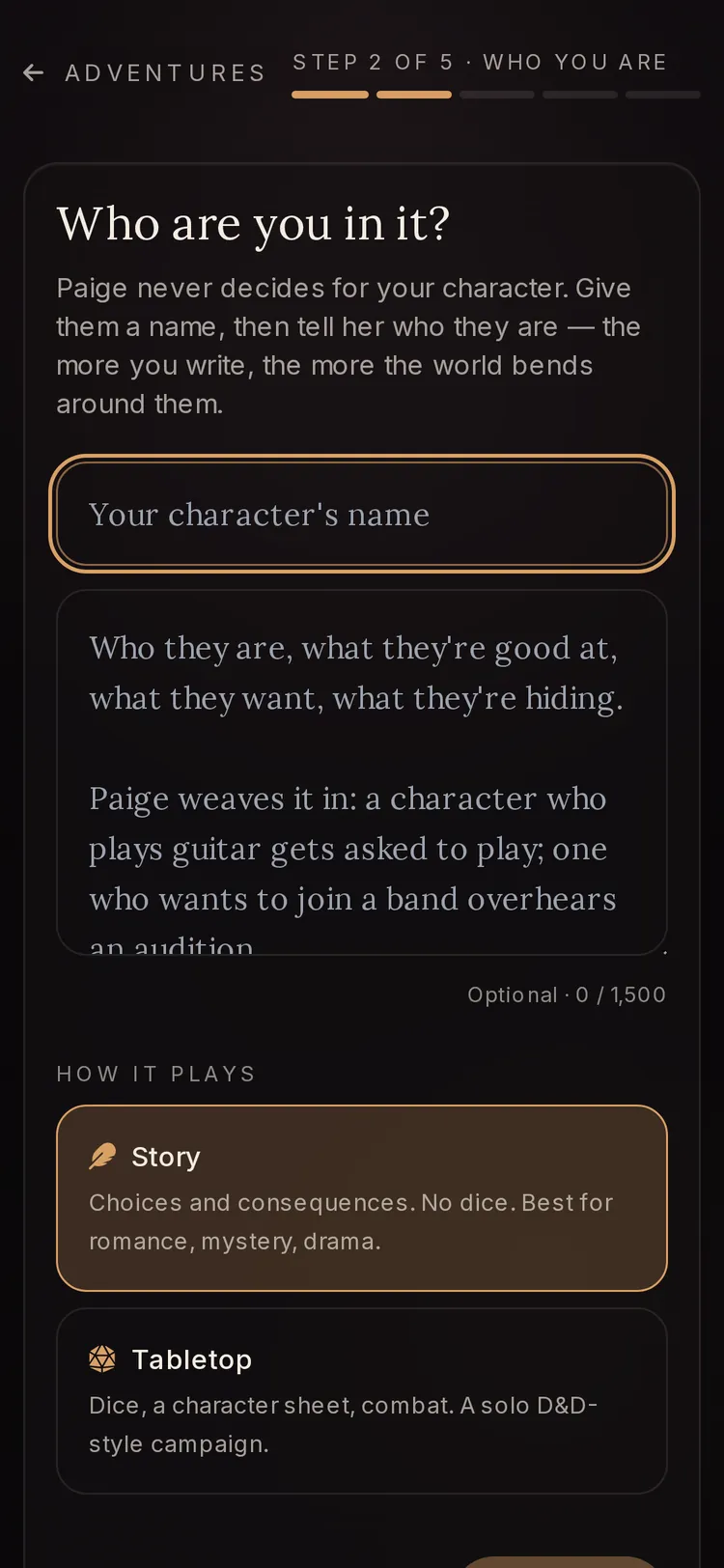
Under “How it plays”, pick “Tabletop” (“Dice, a character sheet, combat”). Then pick “Campaign” for a world with people and quests, or “Kick in the door” for room, monster, fight, loot, next door.
Step 3: Make your character
The builder opens on “Make your character”. Choose “Quick build” (about a minute), “Step by step” (choose everything) or “Bring your character” (upload your sheet). Tap “Use this character” at the end.
Step 4: Set the look, sound and first fight
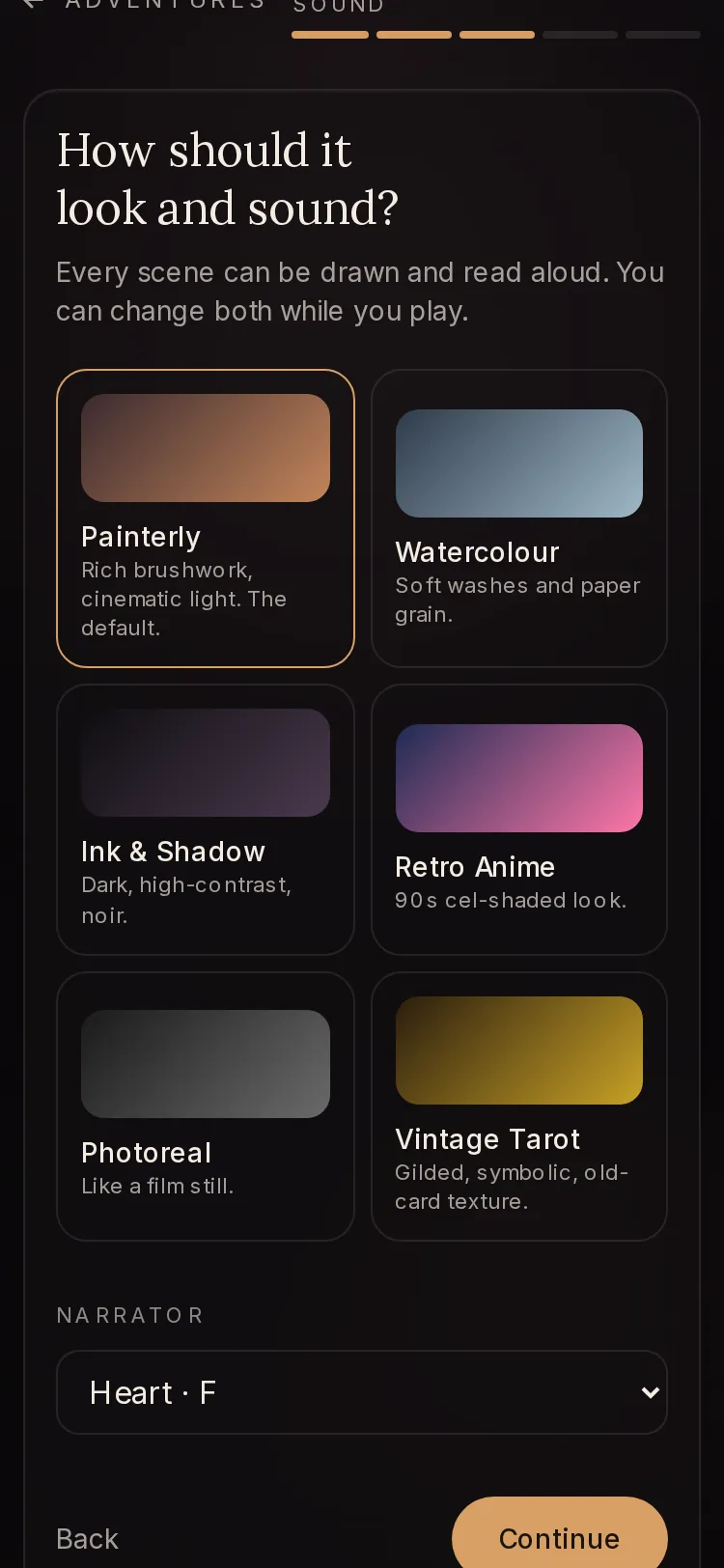
Pick an art style and a “Narrator” voice. In Kick in the door, also pick how hard “Your first fight” is, or tap “Or pick the monsters yourself”.
Step 5: Check your world, then step in
For a Campaign, Paige writes “Your world.” Read it, change anything, then tap “Save and step in”. Kick in the door skips this and takes you straight to the first room.
Step 6: Play and check your sheet
Each turn gives you prose and three choices, or you type your own move. Tap “You” in the top bar to see your character sheet, inventory and the people you have met.


Campaign or Kick in the door?
Both are Tabletop, so both use dice and a character sheet. The difference is how much story surrounds the fights.
“Campaign” builds a full world first: people to meet, places, quests and where the story can go. You read and edit that world before the first scene.
“Kick in the door” has no world to build. You walk into a room, meet a monster, fight, take the loot and open the next door, for as long as you last. Each room after the first gets a little harder.
- “Easy”
- “Warm-up fights.”
- “Fair”
- “A real fight, you should win.”
- “Hard”
- “You will get hurt.”
- “Deadly”
- “You might not walk out.”
- “Surprise me”
- “A different mix every room.”
The character builder, step by step
Paige plays everyone else. You only need a species and a class to start, and every step starts on a good default. On a phone you see “Step N of M” and a thin bar; on a wider screen every step is listed at the top, one tap away. Your draft is kept in this browser, so a reload does not lose it.
Pick your rules at the top: “2024 rules” (the current D&D rules) or “2014 rules” (the older book, where species give the ability bonuses). Steps only appear when your character needs them, so a level 1 fighter sees fewer steps than a level 8 multiclass wizard.
- “Species”
- Your people: size, speed, senses. Some species ask for a “Lineage” or “Draconic ancestry”. A 2024 Human picks an “Origin feat”.
- “Class”
- What you do best. Each card shows the hit die and main ability. “Add another class” lets you multiclass. Pick a “Subclass” when your level allows.
- “Background”
- What you did before adventuring: skills, gear and (in 2024 rules) ability bonuses.
- “Abilities”
- Your six scores, by “Standard”, “Point buy” or “Roll”. Tap two scores to swap them.
- “Level-up choices” / “Class choices”
- “Ability score improvements” (“Raise abilities” or “Take a feat”), “Expertise”, fighting styles and other class picks. You can write “Your own feat”.
- “Skills, gear and spells”
- Skills, “Languages”, starting gear, and your spellbook if you cast spells. “Go shopping” opens the shop.
- “Shop”
- Spend your gold before the adventure. Sell starting gear for half its price. Higher levels can take magic items.
- “Companions”
- A “Familiar”, “Animal companion”, “Mount”, “Hireling”, “Vehicle” or “Something else”.
- “Name and look”
- Your name, “Alignment (optional)” and “Look and backstory (optional)”.
- “Review”
- Your whole sheet. Tap “Change” on any part.
Spells and the spellbook
If your class casts spells, the gear step includes a spellbook titled “Choose your cantrips and spells”. Search with “Search spells” or use “Filter by school”. Each spell shows if it needs “Concentration” or is a “Ritual”.
You can leave picks blank. The spellbook says “Blank is fine: Paige chooses.” Your sheet then lists your spell save DC, spell attack and spell slots.
Bring your own character sheet
Already playing someone at a real table? Choose “Bring your character” on the first builder screen. Tap “Choose your sheet” to upload a PDF, Word or text file (up to 15 MB), or paste the text under “Or paste the text of your sheet”. Sheets from D&D Beyond, the official sheet or a fan-made one all work, at any level and any mix of classes.
Tap “Read my sheet”. A long sheet can take up to a minute. Your file is only read, never kept.
Next comes “Check your character”: everything Paige read, laid out to edit. Set “Rules” to “2014 rules”, “2024 rules” or “Not sure”. Fix anything that is off. A field marked “couldn’t read this” needs your eye. You never set proficiency yourself; it comes from your total level.
Honest dice and how the rules work
The dice are rolled by the app with a true random number, not made up by the story. Paige rolls with the scores on your sheet. Rolls show in the scene, including “NATURAL 20!”, “NATURAL 1!”, “SUCCESS” and “MISS”.
The game runs on the D&D 2024 rules (the free System Reference Document, version 5.2). Where the 2024 rules are silent, it falls back to the 2014 rules (version 5.1). The free rules cover the classes, species, backgrounds, monsters, spells and items you see in the builder and the shop.
Your own rules win. If your Story Bible has an entry that changes how something works, or you added homebrew in the builder, Paige follows yours over the book.
Your character sheet during play
Tap “You” in the top bar. A panel opens: on a phone it slides up from the bottom, on a computer it sits on the right. It scrolls through these parts:
- “Character sheet”
- Level, species and class, HP, AC and speed. Below: “Scores and saving throws”, “Skills”, “Spells”, “Feats”, “Magic items”, “Companions”, plus spell slots and uses you can mark with “Use one” and “Take one back”.
- “Objective”
- What you are working toward right now.
- “Inventory”
- What you carry, and your gold.
- “People”
- Who you have met and how they feel about you.
- “Today”
- How many “Scene pictures” and “Narrated turns” you have left in this window.
- “Faces”
- A portrait and a one-line look for each character, used for scene pictures.
Print your sheet on paper
In the “You” panel, tap “Printable sheet”. It opens a clean page made for A4 paper (“A4, black on white, nothing else prints”). Tap “Print or save as PDF”.
The printed sheet has your scores, skills, gear, spells, features, resources, companions and story. It is handy for a real table, or to keep a record of a character you love.
Questions
Do I need to know D&D to play Tabletop?
No. Choose “Quick build”, pick a species, a class, a level and a name, and Paige fills in the rest. She explains rolls as they happen. If you want no dice at all, choose “Story” under “How it plays” instead.
Are the dice really random?
Yes. The app rolls them with a true random number and uses the scores on your sheet. The story does not choose the result.
Can I use my D&D Beyond character?
Yes. Export or print it as a PDF, choose “Bring your character”, upload it and tap “Read my sheet”. Then check each field on “Check your character” before you save.
Does Tabletop cost more than a story adventure?
No. One turn costs one message from your daily allowance, the same as any adventure. Scene pictures and narration come from their own allowance, which is bigger on paid plans.
Can I use homebrew rules?
Yes. Add a “Your own” species, class, background or feat in the builder, or put house rules in your Story Bible. Your rules always beat the official ones.
Why did my edited character lose hit points and gear?
Saving an edited character replaces the sheet, so hit points, uses and gear start fresh. The story so far is kept. The builder warns you about this before you save.
Related guides
Try it on your own story.
Start writing free