
How to write steamy romance scenes with AI
Set the tone once and Paige writes romance scenes to match, from closed door to open door. Say the heat level and the pacing in plain words, keep them in the Story Bible, and revise only the passage that feels off.
3 min readUpdated
On this page
Step by step
Step 1: Pick the steamy tone
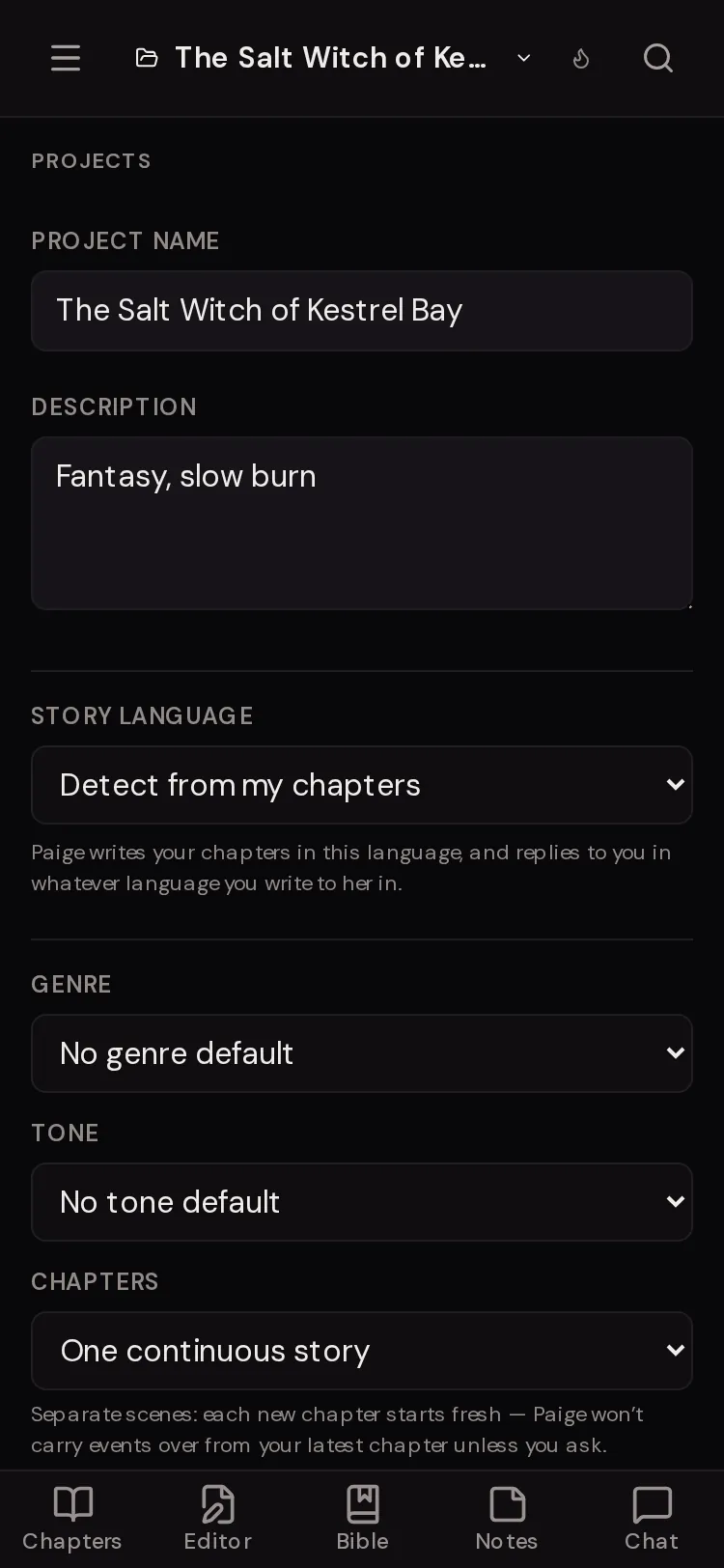
On the setup screen, tap “Steamy romance”. For a book you already have, open the Projects panel and set Tone to “Steamy & romantic”.
Step 2: Say the heat level in words
Tell Paige how far scenes should go: fade to black, closed door, or open door. She follows what you set.
Step 3: Set the pacing
Say how slow the burn is, for example “no kiss until chapter 10”. Put it in a Plot Arc entry in the Story Bible so it holds for the whole book.
Step 4: Draft the scene
Tap “This chapter” and “Continue”, or “New chapter”, and describe the moment you want. Read the draft, then “Accept” or “Dismiss”.
Step 5: Revise just the part that is off
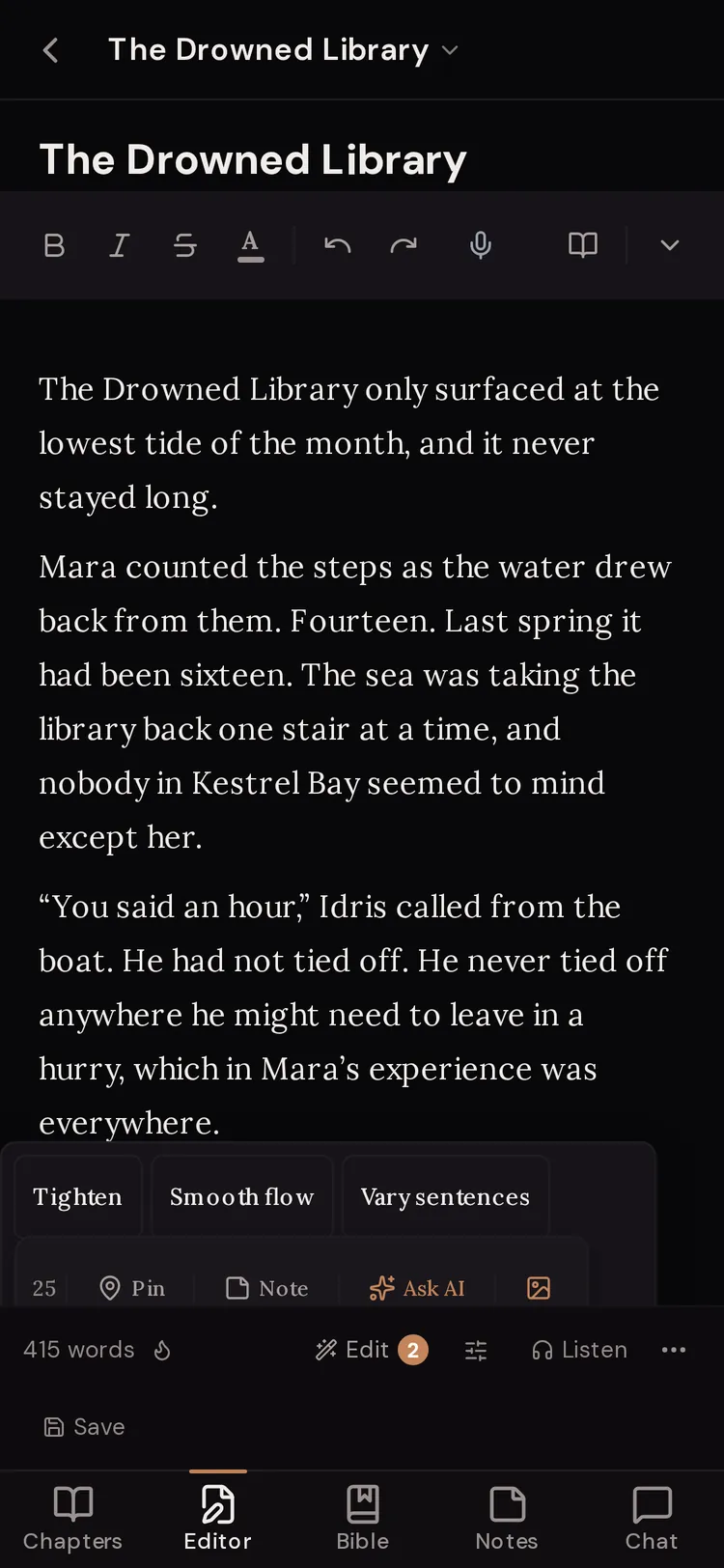
Select the passage in the editor and tap “Ask AI”. Then choose “This chapter”, switch to “Revise”, and say what should change. Paige changes only that passage.


Heat level is your call
WriteWithPaige is a fiction tool for every genre, including dark romance. Paige writes to the level your story needs and does not lecture. Say what you want once and she keeps to it. Tell her again whenever a scene should run hotter or cooler.
Two things are never allowed in any story: minors in sexual situations, and real people in sexual situations.
Try typing
“Keep it slow burn. Lots of tension, no kiss until chapter 10, and fade to black the first time.”
Try typing
“Write the scene after the gala. Open door, her point of view, and keep his dry humour.”
Try typing
“This scene moved too fast. Revise it so she hesitates first and he notices.”
Select the passage first, then Revise.
Keep the chemistry consistent
Chemistry lives in details: nicknames, boundaries, what each character wants and fears. Keep those in each Character entry in the Story Bible. Paige reads them before every scene, so the tenth scene still sounds like the same two people.
- Open Style in the message box and slide it toward “Lean” for tighter prose or “Lush” for fuller prose.
- Add a Skill with your own rules for scenes, like words to avoid.
- Add phrases you never want to Banned Words & Phrases in Settings.
- On a paid plan, pick a Muse whose writing style fits your book.

Quick fixes on one passage
Select a few lines and a small rewrite bubble appears with “Tighten”, “Smooth flow”, “Vary sentences”, “Fix grammar” and “Punch up dialogue”. You see the change before you tap “Apply”. Free plans get a daily allowance of quick edits; paid plans get more.
Questions
Does WriteWithPaige write explicit romance?
Paige writes romance at the heat level you set for your story, from closed door to open door, and handles dark romance themes. She never writes minors in sexual situations or real people in sexual situations.
Will Paige water down my scenes?
Paige is built for fiction, including mature romance, and follows the level you set. If a draft comes out tamer or hotter than you wanted, say so and revise it.
How do I keep a slow burn slow?
Tell Paige the pacing (“no kiss until chapter 10”) and put it in a Plot Arc entry in the Story Bible. She reads the Bible before she writes.
Are pictures of my characters explicit?
No. Pictures are always drawn clothed, whatever the story.
Can I hear the scene read aloud?
Yes, on paid plans. Press “Listen & check” under a chapter. Free writers get one free sample.
Related guides
Try it on your own story.
Start writing free